We count visits to make the site better. Details are in the privacy policy.

Found a bug? Skip to main content
DK Nades

Main navigation

  • Nades
  • Tactics & Guides
  • Servers
  • Where to buy skins
  • Deutsch Deutsch
  • English English
  • Español Español
  • Français Français
  • Polski Polski
  • Português (BR) Português (BR)
  • Türkçe Türkçe
  • Русский Русский

Search Menu

  • Search

Login menu

Sign in through Steam Log In

Tactics and Guides

Suggest a tactic
All mapsAll24Mirage4Nuke0Dust24Vertigo0Ancient8Inferno3Anubis3Train0Overpass0Cache1
Site executes2Default setups1Insta smokes2Smokes by spot10Molotov setups3
Side
T3CT0Both sides3

Showing 3 of 91InfernoDefault setupsInsta smokesClear all filters

Inferno Insta Smokes CS2: Library, Long, Moto, Short, Arch
  • Inferno
  • T side
  • Insta smokes
  • 13 grenades

Inferno Insta Smokes CS2: Library, Long, Moto, Short, Arch

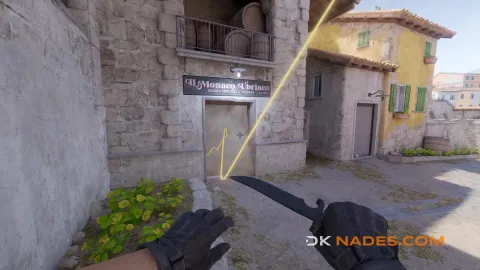
On Inferno the early smokes for an A hit are thrown from the mid side: from first mid, second mid, under the balcony and T ramp. Here are all of them in one place: library, long and the long cross into CT, moto, short and arch, 13 lineups. Pick the one from the spot where you stand at the start of the round and close the angle before your team goes onto A.

Default Smokes on Inferno
  • Inferno
  • T side
  • Default setups
  • 3 grenades

Default Smokes on Inferno

3 default smokes on Inferno — the ones you throw every round first. Every throw comes with a video and both points on the map.
Inferno Instant Middle Smokes preview
  • Inferno
  • T side
  • Insta smokes
  • 6 grenades

All Instant Middle Smokes on Inferno

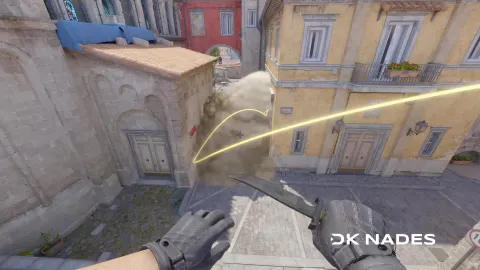
Mid on Inferno can be shut down in the first seconds of the round. Six spawns, six lineups — one per point, so the smoke does not depend on where the game put you.

Found a bug, got an idea or a partnership offer? Write to us

Install DK Nades

One tap from your home screen, full screen without the browser bar. Lineups you have opened before also open offline (without video).

Open this page in Safari: other browsers on iPhone cannot add it to the home screen.

  1. 1 Tap Share in the Safari toolbar
  2. 2 Choose “Add to Home Screen”
  3. 3 Tap “Add” — the icon appears on your home screen

Your browser can install it right away:

  1. 1 Open the ⋮ menu in the top right corner
  2. 2 Choose “Install app” or “Add to Home screen”
  3. 3 Confirm “Install” — the icon appears on your home screen

Your browser can install it right away:

  1. 1 Click the install icon at the right of the address bar (or ⋮ → “Install DK Nades”)
  2. 2 Confirm “Install”
  3. 3 DK Nades opens in its own window — pin it to the taskbar

Footer

  • Servers
  • News
  • Skins on our servers
  • Privacy Policy
  • Terms of Use
© 2026 DK Nades. All rights reserved