We count visits to make the site better. Details are in the privacy policy.

Found a bug? Skip to main content
DK Nades

Main navigation

  • Nades
  • Tactics & Guides
  • Where to buy skins
  • Deutsch Deutsch
  • English English
  • Español Español
  • Français Français
  • Polski Polski
  • Português (BR) Português (BR)
  • Türkçe Türkçe
  • Русский Русский

Search Menu

  • Search

Login menu

Sign in through Steam Log In

Tactics and Guides

Suggest a tactic
Map
All 10Mirage 2Dust2 1Ancient 3Inferno 1Anubis 3
Side
All 3T side 3
Tactic type
All 8Insta smokes 3Smokes by spot 5

Tactics found: 3 Show all tactics

Anubis Stairs Instant Smokes preview
  • Anubis
  • T side
  • Insta smokes
  • 4 grenades

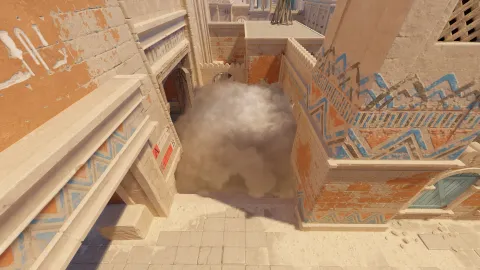
All Instant Stairs Smokes on Anubis

Stairs cannot be insta-smoked from every spawn: four of the five points work. All four are covered — wherever you spawn, you throw from there.

Anubis Instant Mid Drop Smokes preview
  • Anubis
  • T side
  • Insta smokes
  • 11 grenades

All Instant Mid Drop (Hole) Smokes on Anubis

The Mid drop (New Window) can be smoked off from any of the 11 spawn points. Each one has its own lineup, so the smoke lands before anybody can come through.

  • Anubis
  • T side
  • Insta smokes
  • 11 grenades

All Instant Window Smokes on Anubis

An insta-smoke into Window goes up the moment the round starts — but every spawn point throws it differently. All 11 lineups are here: find your spawn and close Window while the enemy is still running.

Found a bug, got an idea or a partnership offer? Write to us

Install DK Nades

One tap from your home screen, full screen without the browser bar. Lineups you have opened before also open offline (without video).

Open this page in Safari: other browsers on iPhone cannot add it to the home screen.

  1. 1 Tap Share in the Safari toolbar
  2. 2 Choose “Add to Home Screen”
  3. 3 Tap “Add” — the icon appears on your home screen

Your browser can install it right away:

  1. 1 Open the ⋮ menu in the top right corner
  2. 2 Choose “Install app” or “Add to Home screen”
  3. 3 Confirm “Install” — the icon appears on your home screen

Your browser can install it right away:

  1. 1 Click the install icon at the right of the address bar (or ⋮ → “Install DK Nades”)
  2. 2 Confirm “Install”
  3. 3 DK Nades opens in its own window — pin it to the taskbar

Footer

  • Privacy Policy
  • Terms of Use
© 2026 DK Nades. All rights reserved